01 — Inventory

Always know what's actually in the kitchen.

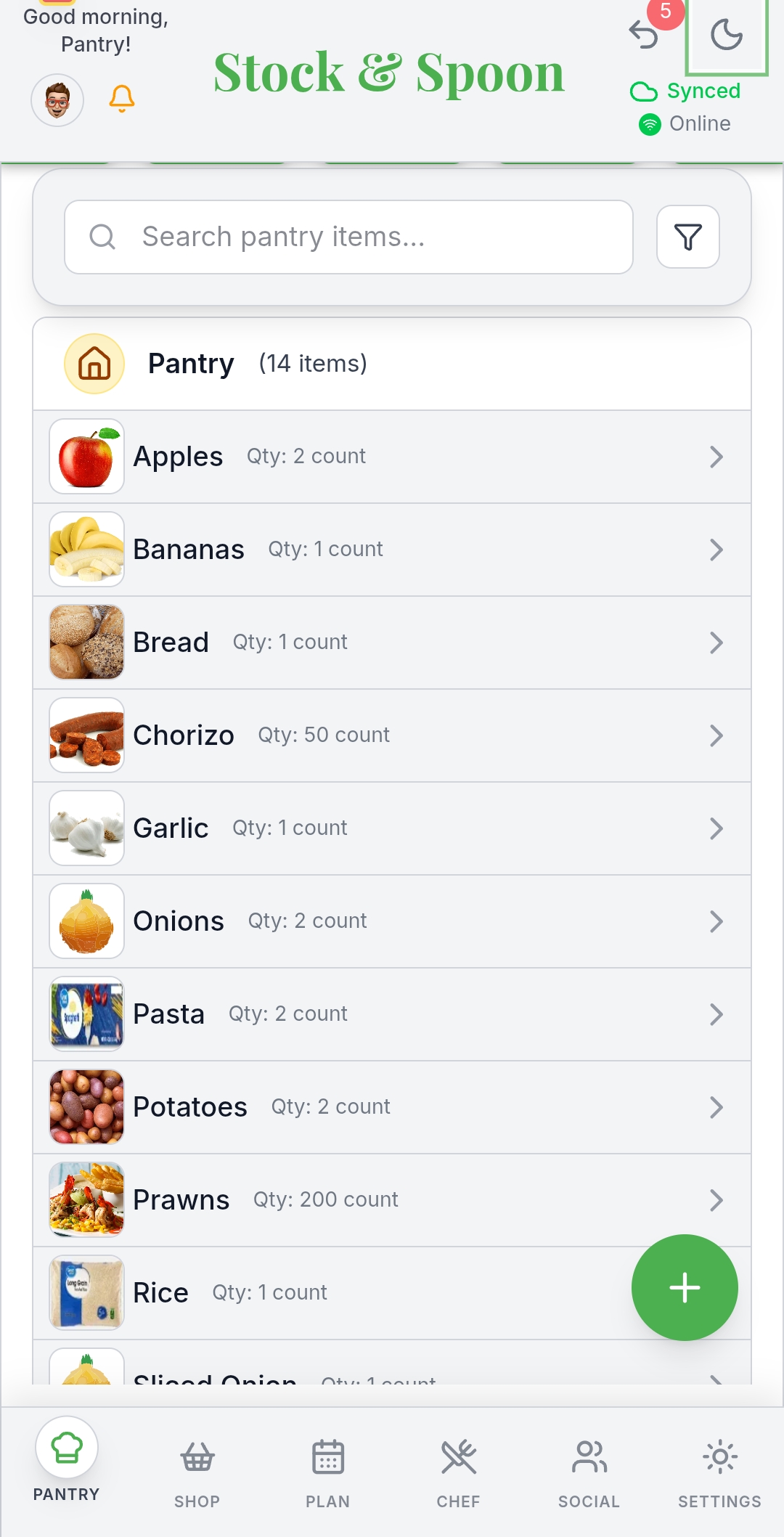
Add items as they come in and Stock & Spoon keeps a running, accurate picture of the fridge, freezer, and cupboards — no more buying a third jar of cumin.

  • Track quantity and location for every item, sortable by storage spot
  • Expiry alerts based on food-safety guidelines, not guesswork
  • Works offline — your list is there even without signal
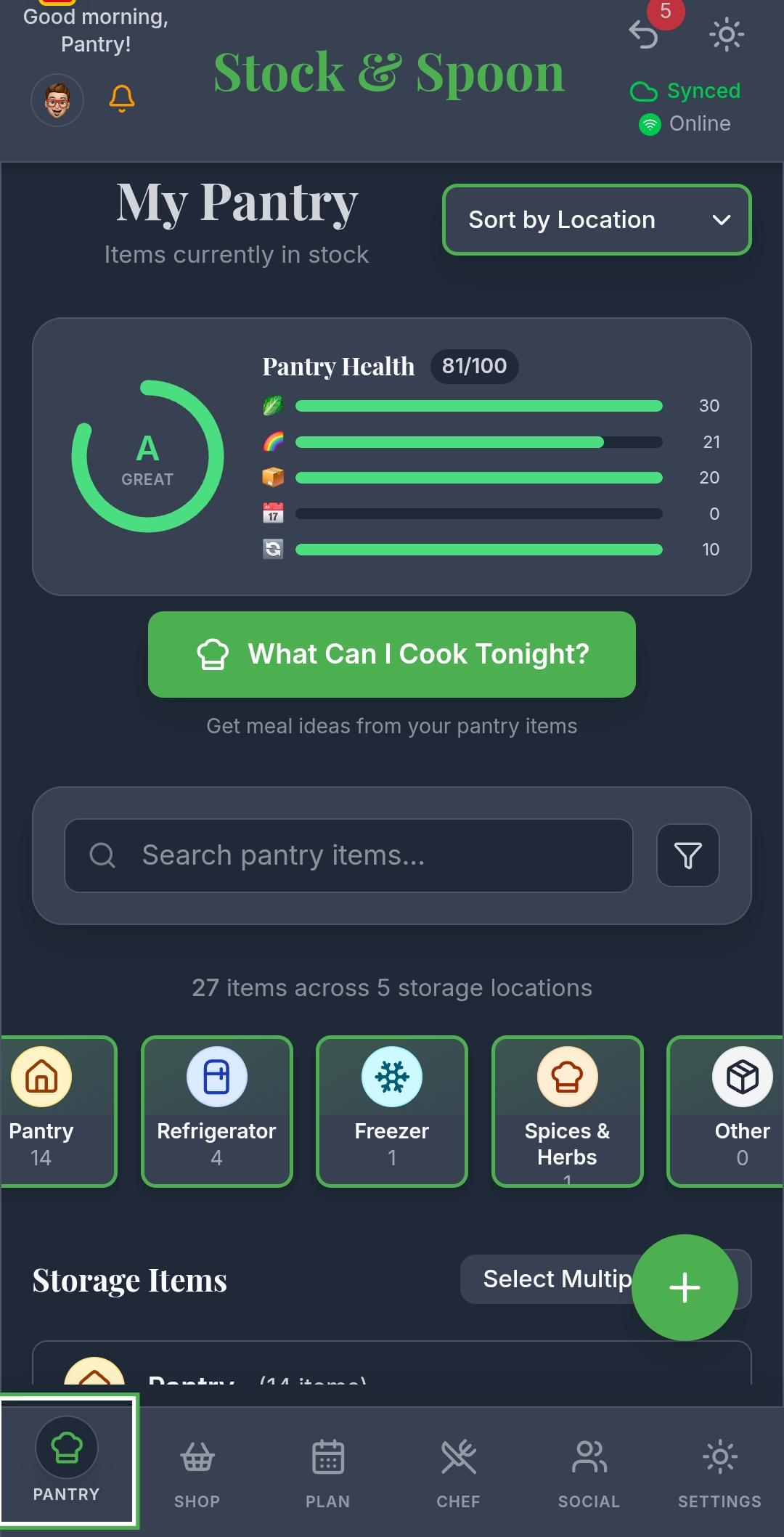
Pantry tracking screen
02 — AI Assistant

Recipes built from what you already own.

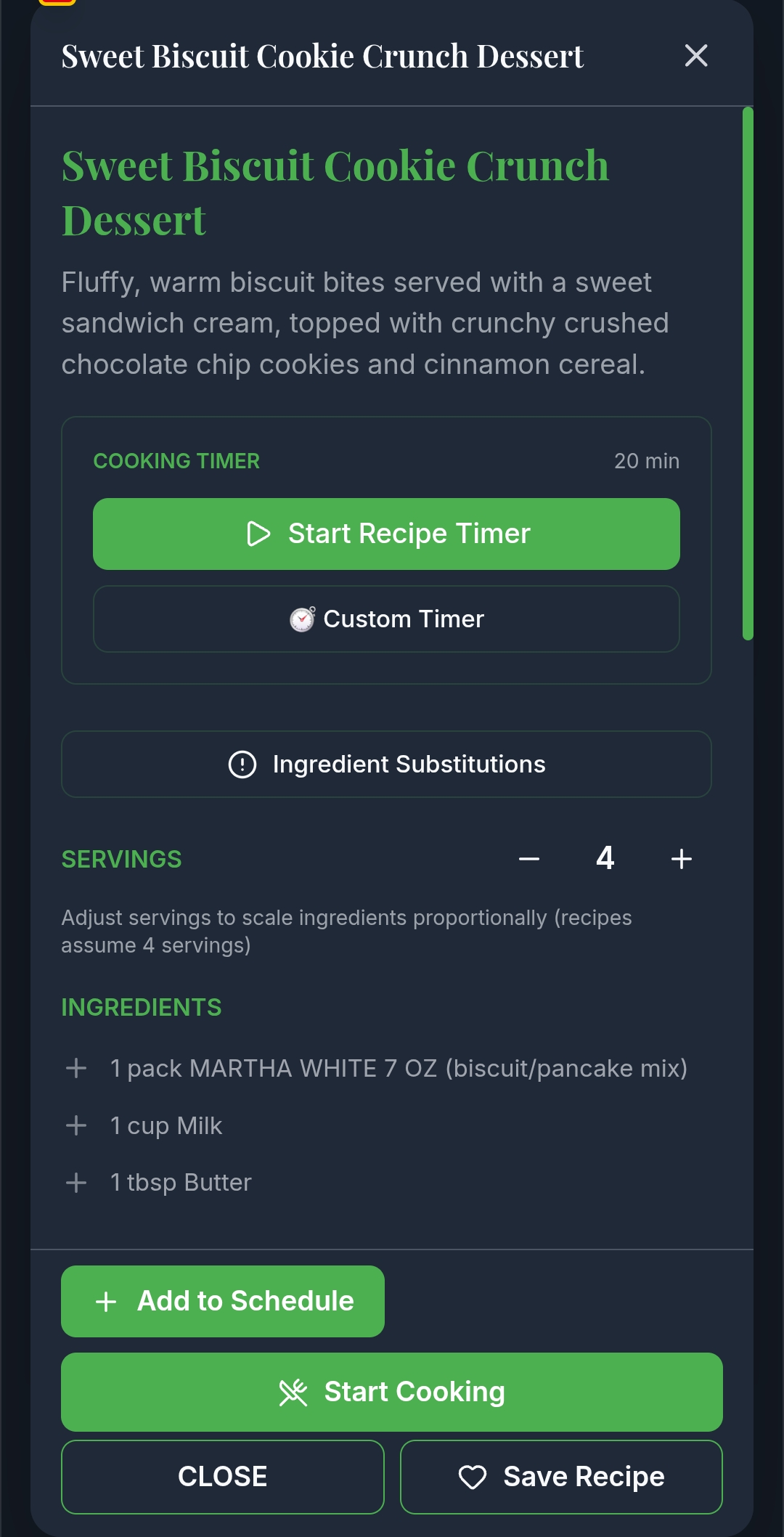
Search by ingredient, cuisine, or diet — or let Stock & Spoon generate something new from what's about to expire. Every recipe scales to however many you're feeding, with cook-along timers built in.

  • Powered by Google Gemini, ranked against your dietary preferences
  • Adjustable servings that scale every ingredient automatically
  • Step-by-step cooking mode with built-in timers
Recipe screen
03 — Planning

Plan the whole week in one sitting.

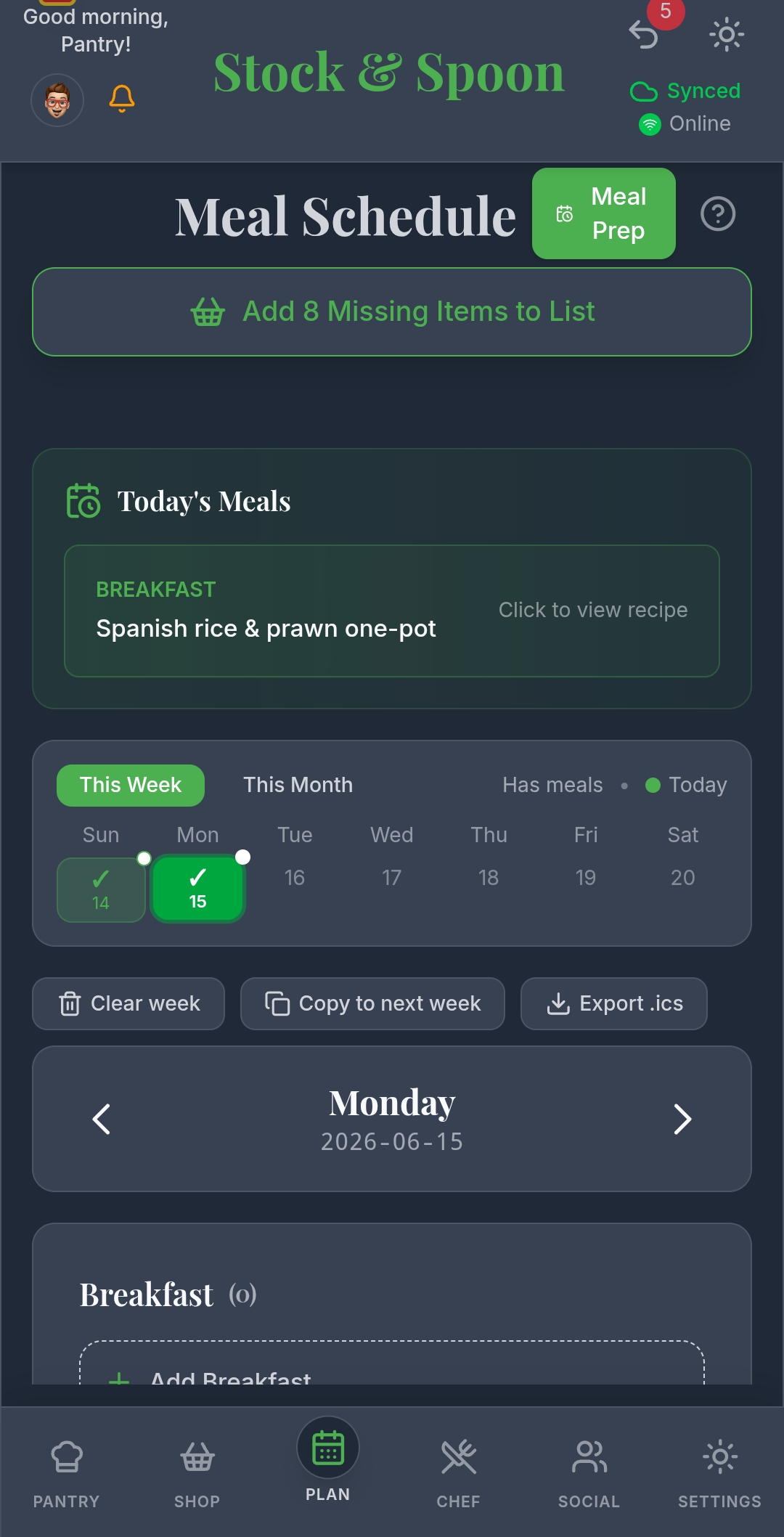
Drag recipes straight onto the calendar for breakfast, lunch, and dinner. Stock & Spoon checks every planned meal against your pantry and flags exactly what's missing before you're standing in the kitchen at 6pm.

  • Visual weekly calendar — drag a recipe into any slot
  • Missing ingredients route straight to your shopping list
  • See nutrition details across your planned days
Meal planner screen
04 — Shopping

One list, the whole household sees.

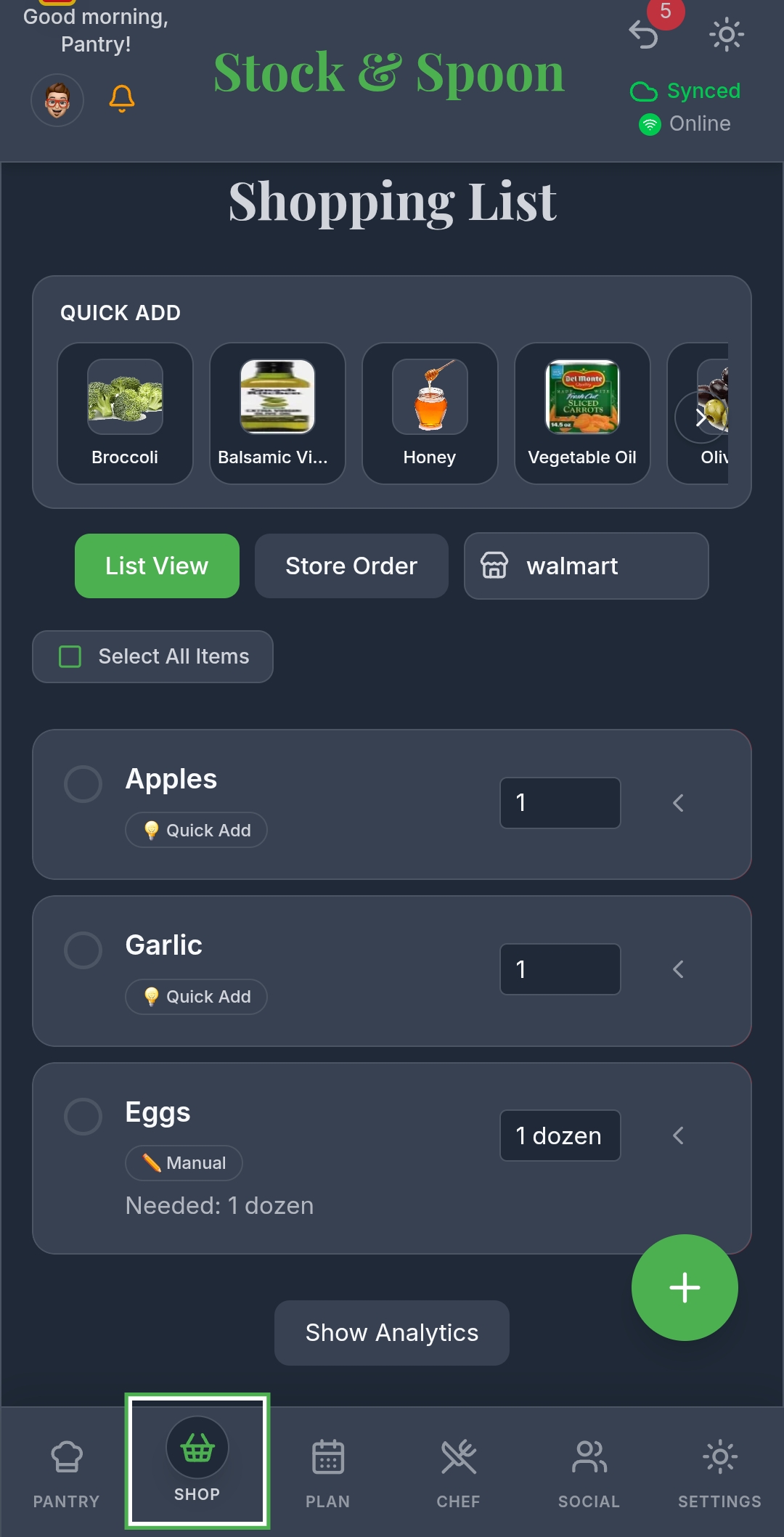
Whatever's missing from a planned meal lands here automatically, alongside quick-add suggestions based on what you tend to run out of. Everyone in the household sees updates in real time, so nobody doubles up at the store.

  • Synced live across every household member's phone
  • Sorted by store aisle so you're not backtracking
  • Retail checkout integration currently in development
Shopping list screen
05 — Interface

Built to be read at a glance.

Cooking dinner in a dim kitchen and comparing prices under fluorescent supermarket lights call for different screens. Stock & Spoon switches cleanly between a dark, low-glare theme and a bright, high-contrast one — automatically or on your terms.

  • Automatic light/dark switching, or set it manually
  • High-contrast layouts for quick glances while cooking
  • One consistent design across every screen in the app
Light theme pantry screen

Try it in your own kitchen.

Free to start on Android. Your first pantry item takes under a minute to add.